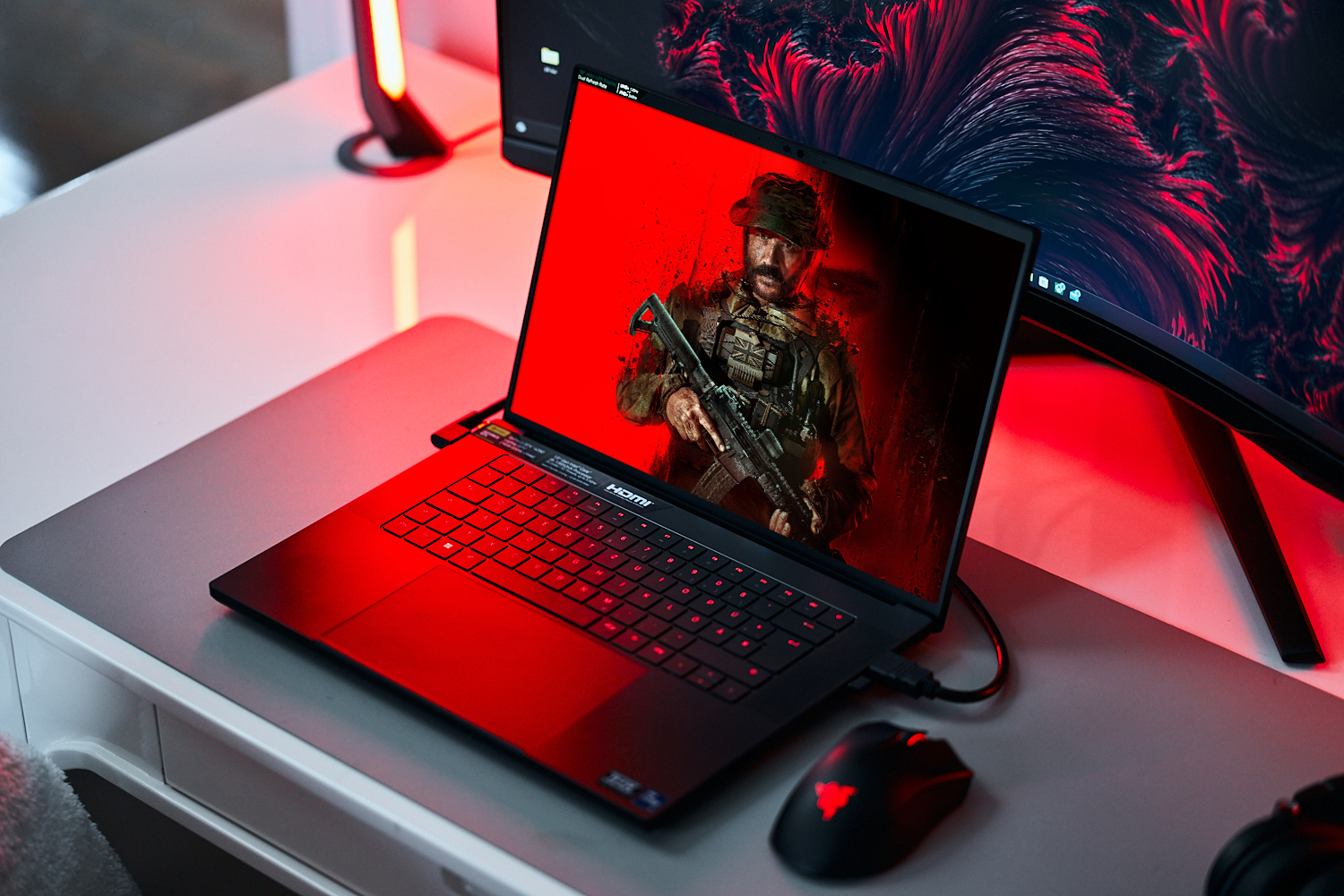
The series’ lowest point despite its attractive visuals? Currently, review platforms like Metacritic are being bombarded with negative comments about the new Call of Duty iteration. Aside from the game’s scope (DLC content for the price of a full game) being criticized, people also aren’t saying the best things about its campaign (missions, story, etc). We have primarily taken a closer look at this new release’s tech.
Florian Glaser, 👁 Florian Glaser (translated by Daisy Dickson), Published 🇩🇪

We currently carry out our gaming benchmarks using these devices. Clicking on the photos will take you to the respective manufacturer’s website. More details on the specifications are listed at the end of the article.
Before even being able to play any of the game, you are confronted by a number of (to put it cautiously) waiting times — as is typical for Call of Duty or Activision. Beginning with the fact that the game takes up over 100 GB of storage, which is a lot for a shooter or a video game in general. This means you’ll need to have a certain amount of patience — even if you have a speedy internet connection.
As soon as you have entered into the game, you also have to wait a good few minutes for the shaders to be loaded (the weaker the GPU the longer this will take). Furthermore, the game requires a restart in certain cases (even if you want to switch to single-player mode). This is also quite annoying. Adding to this is the fact that it sometimes takes unnecessarily long to log in and even the Steam version requires an Activision account.
When it comes to settings options, we have a lot less to criticize about the game. After years of critique surrounding its missing presets, the developers have finally installed some since the new edition of Modern Warfare 2, now giving you a gigantic amount of quality options to choose from. They can be adjusted in one fell swoop — although, it is a little strange that there isn’t a High preset and instead, Balanced is immediately followed by Ultra.
Apart from that, Modern Warfare 3 does almost everything right. Aside from text descriptions, some options even include handy comparison images, as we primarily know from Ubisoft games (e.g. The Crew Motorfest). The effects on CPU, GPU and VRAM are also sometimes included. Speaking of video memory: A VRAM display is permanently shown on the graphics menu. In general, the game benefits from a lot of modern features. At the forefront stands upscaling in the shape of XeSS (Intel), FSR (AMD) and DLSS (Nvidia). It is also nice to see that most changes don’t require you to restart the game.
The developers also deserve praise for the game’s integrated benchmark. However, it can’t be found in the graphics menu — instead, it is hidden within “Private Match”, which is quite unfitting. The speed measurement first shows the camera gliding through fog, followed by a first-person view of a character running through outdoor and indoor surroundings with lots of action and effects (smoke, explosions, etc). This lasts for about a minute and is quite demanding of the graphics card.
Positive: During the measurement, the FPS number is shown. At the end of the benchmark, an in-depth analysis is displayed including system specs, CPU/GPU FPS and (V)RAM load. The second tab even shows the performance split into different zones. We have previously only seen such detailed information on the PC version of Returnal.
Modern Warfare 3 looks quite good in total, which couldn’t be said for every part of the series on release day. In relation to the offered graphics, the game’s requirements are moderate. Using the current best laptop iGPU, the Radeon 780M, you can play the game at 1,920 x 1,080 pixels with low to medium settings. Mid-range graphics cards such as the GeForce RTX 4050 manage to run the game in Full HD and with maximum details.
| 1920×1080 Basic Preset 1920×1080 Balanced Preset 1920×1080 Ultra Preset 1920×1080 Extreme Preset | |
| AMD Radeon RX 7900 XT, i9-13900K Desktop-PC Asus ROG Strix Z790-F |
|
| NVIDIA GeForce RTX 4080, i9-13900K Desktop-PC Asus ROG Strix Z790-F |
|
| NVIDIA GeForce RTX 4090 Laptop GPU, i9-13900HX XMG Neo 17 E23 |
|
| NVIDIA GeForce RTX 4080 Laptop GPU, i9-13950HX Razer Blade 16 Mid 23 |
|
| NVIDIA GeForce RTX 3080 Ti Laptop GPU, i9-12900H Asus ROG Strix Scar 17 G733ZX |
|
| NVIDIA GeForce RTX 4070 Laptop GPU, i9-13900HX XMG Pro 15 E23 |
|
| NVIDIA GeForce RTX 4060 Laptop GPU, R9 7940HS Razer Blade 14 Mid 23 |
|
| AMD Radeon RX 7600S, R9 7940HS Asus TUF Gaming Advantage A16 |
|
| NVIDIA GeForce RTX 4050 Laptop GPU, i7-13700H Medion Erazer Scout E20 |
|
| AMD Radeon 780M, R9 7940HS Asus TUF Gaming Advantage A16 |
|
You also don’t necessarily need a high-end chip for QHD displays. A Radeon RX 7600S or a GeForce RTX 4060 already manages to hit the 60 FPS mark when running the game at 2,560 x 1,440 pixels and using the preset Extreme.
| 2560×1440 Extreme Preset | |
| AMD Radeon RX 7900 XT, i9-13900K Desktop-PC Asus ROG Strix Z790-F |
|
| NVIDIA GeForce RTX 4080, i9-13900K Desktop-PC Asus ROG Strix Z790-F |
|
| NVIDIA GeForce RTX 4090 Laptop GPU, i9-13900HX XMG Neo 17 E23 |
|
| NVIDIA GeForce RTX 4080 Laptop GPU, i9-13950HX Razer Blade 16 Mid 23 |
|
| NVIDIA GeForce RTX 3080 Ti Laptop GPU, i9-12900H Asus ROG Strix Scar 17 G733ZX |
|
| NVIDIA GeForce RTX 4070 Laptop GPU, i9-13900HX XMG Pro 15 E23 |
|
| NVIDIA GeForce RTX 4060 Laptop GPU, R9 7940HS Razer Blade 14 Mid 23 |
|
| AMD Radeon RX 7600S, R9 7940HS Asus TUF Gaming Advantage A16 |
|
| NVIDIA GeForce RTX 4050 Laptop GPU, i7-13700H Medion Erazer Scout E20 |
|
You only need a true gaming device when playing Call of Duty Modern Warfare 3 on 4K monitors with higher settings. Without DLSS, we would recommend at least a GeForce RTX 3080 Ti and with DLSS (which, at least in the quality setting, hardly improves the performance), we would recommend a GeForce RTX 4070 or better.
| 3840×2160 Extreme Preset 3840×2160 Extreme Preset + Quality DLSS | |
| AMD Radeon RX 7900 XT, i9-13900K Desktop-PC Asus ROG Strix Z790-F |
|
| NVIDIA GeForce RTX 4080, i9-13900K Desktop-PC Asus ROG Strix Z790-F |
|
| NVIDIA GeForce RTX 4090 Laptop GPU, i9-13900HX XMG Neo 17 E23 |
|
| NVIDIA GeForce RTX 4080 Laptop GPU, i9-13950HX Razer Blade 16 Mid 23 |
|
| NVIDIA GeForce RTX 3080 Ti Laptop GPU, i9-12900H Asus ROG Strix Scar 17 G733ZX |
|
| NVIDIA GeForce RTX 4070 Laptop GPU, i9-13900HX XMG Pro 15 E23 |
|
| NVIDIA GeForce RTX 4060 Laptop GPU, R9 7940HS Razer Blade 14 Mid 23 |
|
| AMD Radeon RX 7600S, R9 7940HS Asus TUF Gaming Advantage A16 |
|
| NVIDIA GeForce RTX 4050 Laptop GPU, i7-13700H Medion Erazer Scout E20 |
|
Cns
| Laptop | Graphics card | Processor | RAM |
|---|---|---|---|
| XMG Neo 17 E23 | Nvidia GeForce RTX 4090 @175 W TGP (16 GB GDDR6X) | Intel Core i9-13900HX | 2 x 16 GB DDR5 |
| Razer Blade 16 Mid 23 | Nvidia GeForce RTX 4080 @175 W TGP (12 GB GDDR6X) | Intel Core i9-13950HX | 2 x 16 GB DDR5 |
| XMG Pro 15 E23 | Nvidia GeForce RTX 4070 @140 W TGP (8 GB GDDR6) | Intel Core i9-13900HX | 2 x 16 GB DDR5 |
| Razer Blade 14 Mid 23 | Nvidia GeForce RTX 4060 @140 W TGP (8 GB GDDR6) | AMD Ryzen 9 7940HS | 2 x 8 GB DDR5 |
| Medion Erazer Scout E20 | Nvidia GeForce RTX 4050 @100 W TGP (6 GB GDDR6) | Intel Core i7-13700H | 2 x 8 GB DDR5 |
| Asus ROG Strix Scar 17 | Nvidia GeForce RTX 3080 Ti @150 W TGP (16 GB GDDR6) | Intel Core i9-12900H | 2 x 16 GB DDR5 |
| Asus TUF Gaming Advantage A16 | AMD Radeon RX 7600S (8 GB GDDR6) & AMD Radeon 780M | AMD Ryzen 9 7940HS | 2 x 8 GB DDR5 |
| Tower PC | Graphics card | Processor | RAM |
|---|---|---|---|
| Asus ROG Strix Z790-F | Nvidia GeForce RTX 4080 (16 GB GDDR6X) AMD Radeon RX 7900 XT (20 GB GDDR6) |
Intel Core i9-13900K | 2 x 24 GB DDR5 G.Skill |
| Operating system | Nvidia driver | AMD driver |
|---|---|---|
| Windows 11 | ForceWare 546.01 | Adrenalin 23.11.1 |

Editor of the original article: Florian Glaser – Managing Editor Gaming Laptops – 592 articles published on Notebookcheck since 2009
I discovered my interest in computers in my childhood, growing up with MS-DOS and Windows 3.1 in the early 1990s. I was especially fascinated with computer games, even from an early age. From Monkey Island through Lands of Lore to Doom, I tried every game I could get my hands on. I have been working for Notebookcheck since 2009 with my focus mostly being on high-performance gaming laptops.

Translator: Daisy Dickson – Translator – 127 articles published on Notebookcheck since 2023
Originally from Scotland, I grew up and lived in Germany until I completed my high school qualifications before moving back to Scotland to complete my university studies. Growing up bilingual led me to form a close relationship with the English and German languages, often working in the fields of teaching and translation. Most of my childhood was shaped by playing around on new consoles, computers and gadgets and getting to grips with the new craze of the internet and smartphones. This interest has stayed with me well into adulthood. Nowadays, I live in Glasgow and work as a freelance translator and digital media coordinator. I have been translating for Notebookcheck since early 2023.
Florian Glaser, 2023-11-14 (Update: 2023-11-14)